As someone who’s passionate about data and already wearing multiple fitness devices (Garmin Epix Pro, Garmin Enduro 3, Apple Watch Ultra, and others), I wasn’t looking for another wearable to replace anything in my tech stack. I was curious whether a smart ring could add meaningful insights to complement what I already track—and whether it could do so without the subscription fatigue that’s becoming all too common in this space.
After six months of daily wear with the Ultrahuman Ring Air, here’s my data-driven assessment:
it’s a solid, well-designed device that delivers on its core promises. It complements my existing setup well, without replacing anything. If you’re someone who loves numbers, wants discrete 24/7 monitoring, and appreciates having multiple data sources to cross-reference, this ring earns its place. If you’re looking for a single device to transform your health habits, that wasn’t my experience, though others may find it more impactful.
Here’s what six months of real-world testing revealed, complete with accuracy comparisons against other (established in my case) devices…
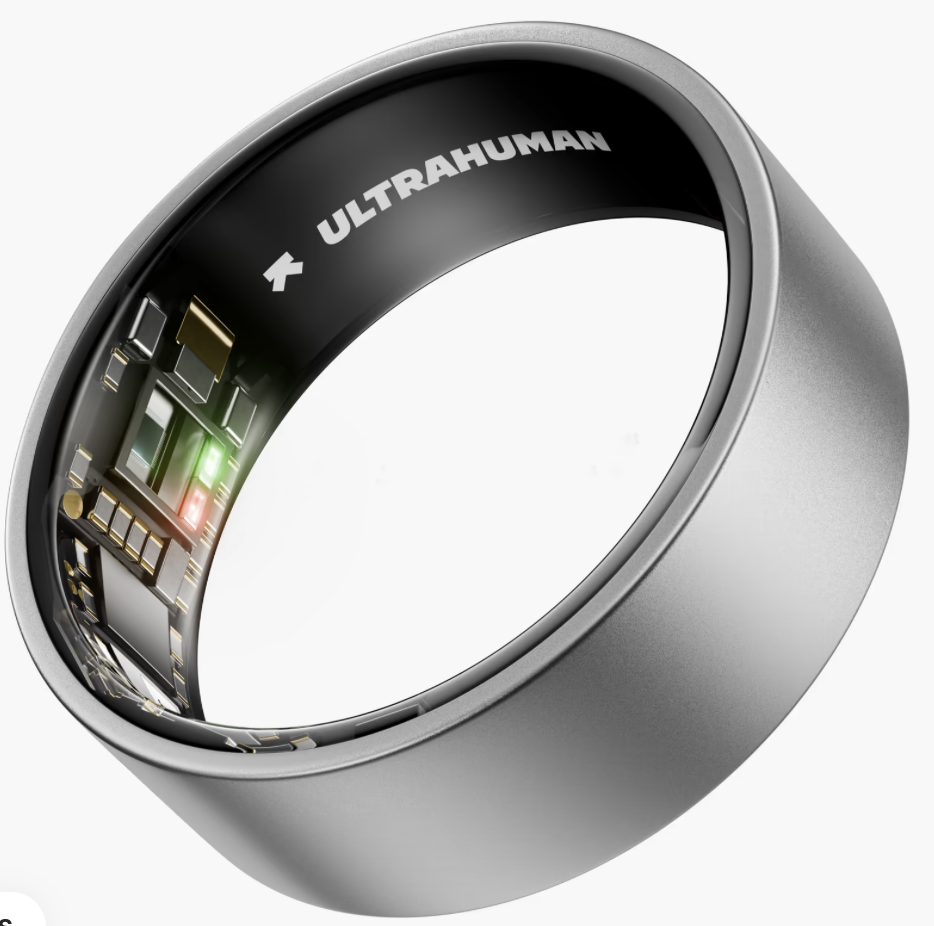
In real life, it looks also nice .. but after some time (and I worn the ring every day and in every situation) it shows the wear of time.

Getting Started: From Order to First Sync
1. Sizing (Critical Step) Don’t skip the free sizing kit – your wedding ring size won’t work here. The Ring Air needs to be snug enough for accurate readings but loose enough to remove weekly for charging. Too loose means inaccurate data from light interference; too tight makes removal difficult.
2. Ordering & Delivery Delivery typically takes 2-4 weeks depending on location and finish. I chose Raw Titanium for durability – the darker finishes tend to show wear more quickly on rough surfaces. The price displayed now for Romania is 319EUR and the delivery is done by Amazon.
3. Setup Download the Ultrahuman app, create your account, and pair the ring. The process is straightforward and takes just a few minutes.
What’s in the box: Ring, USB-C charger (ring-sized – don’t lose it!), charging cable, and basic instructions. That’s it – no additional purchases needed to get full functionality.
You can purchase extra-insurance or other plugins from Ultrahuman, but basically the ring + charger is enough to have this usable.

The app is nice and intuitive, although some may consider the language too technical or jargonistic. You have some specific sections that get populated after the sync, which is usually taking some seconds and happens every time when you open the app (plus also in the background).

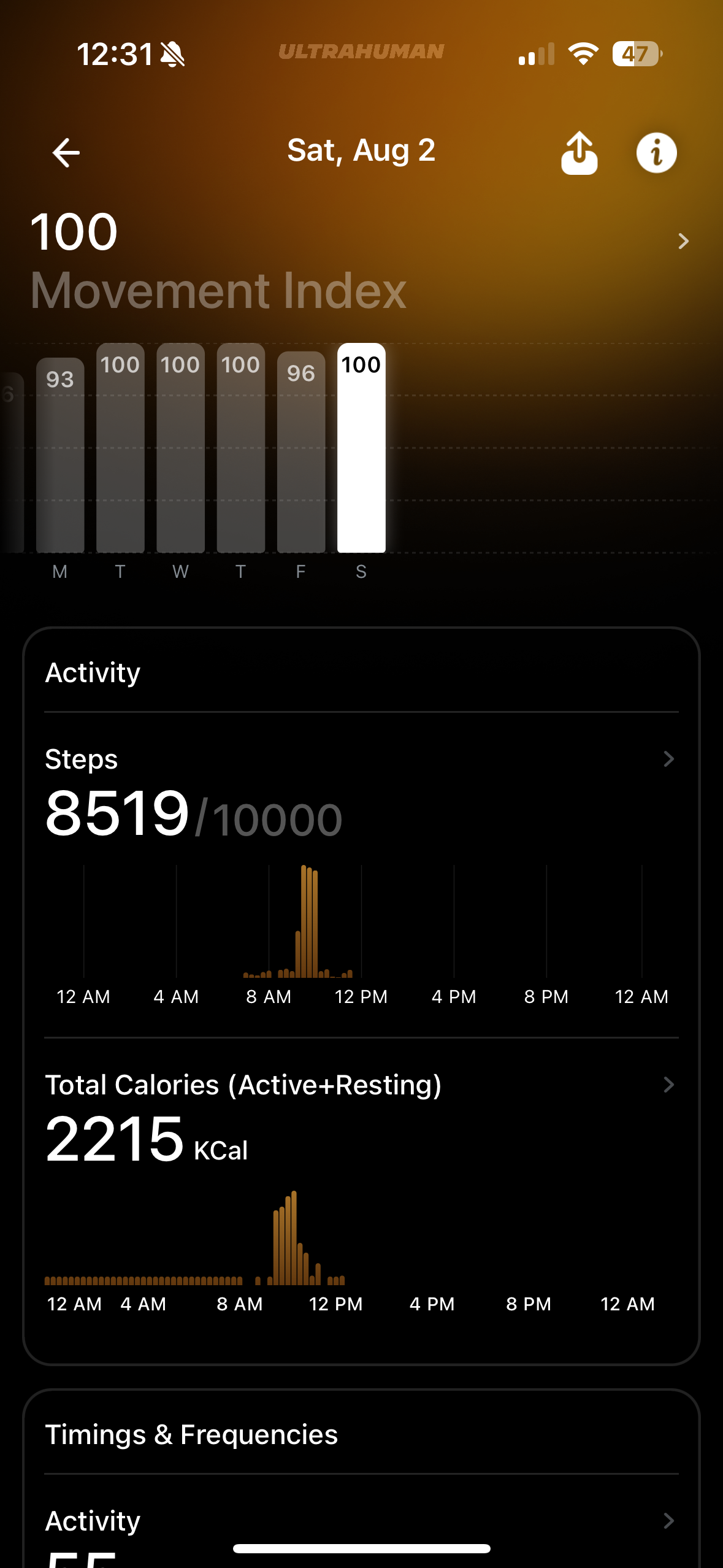
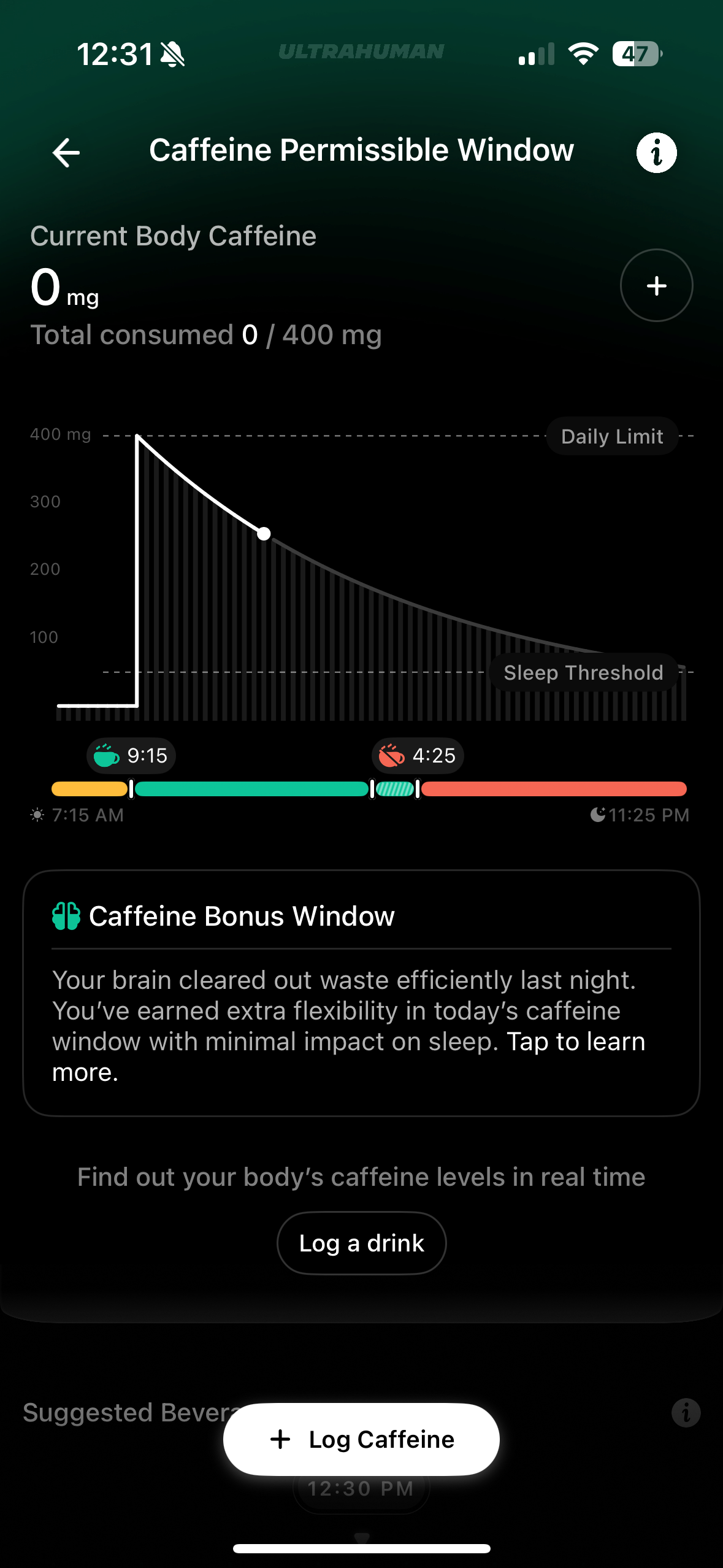
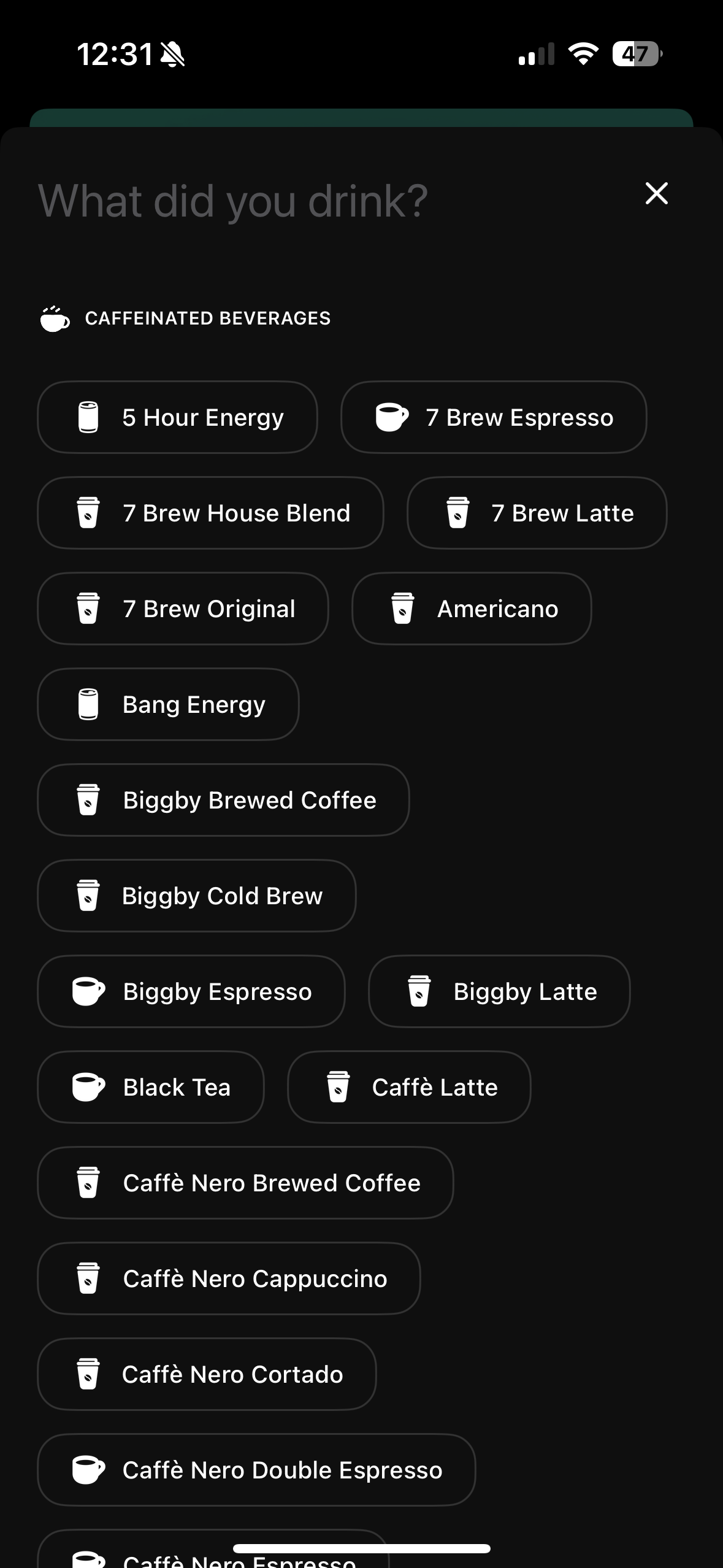
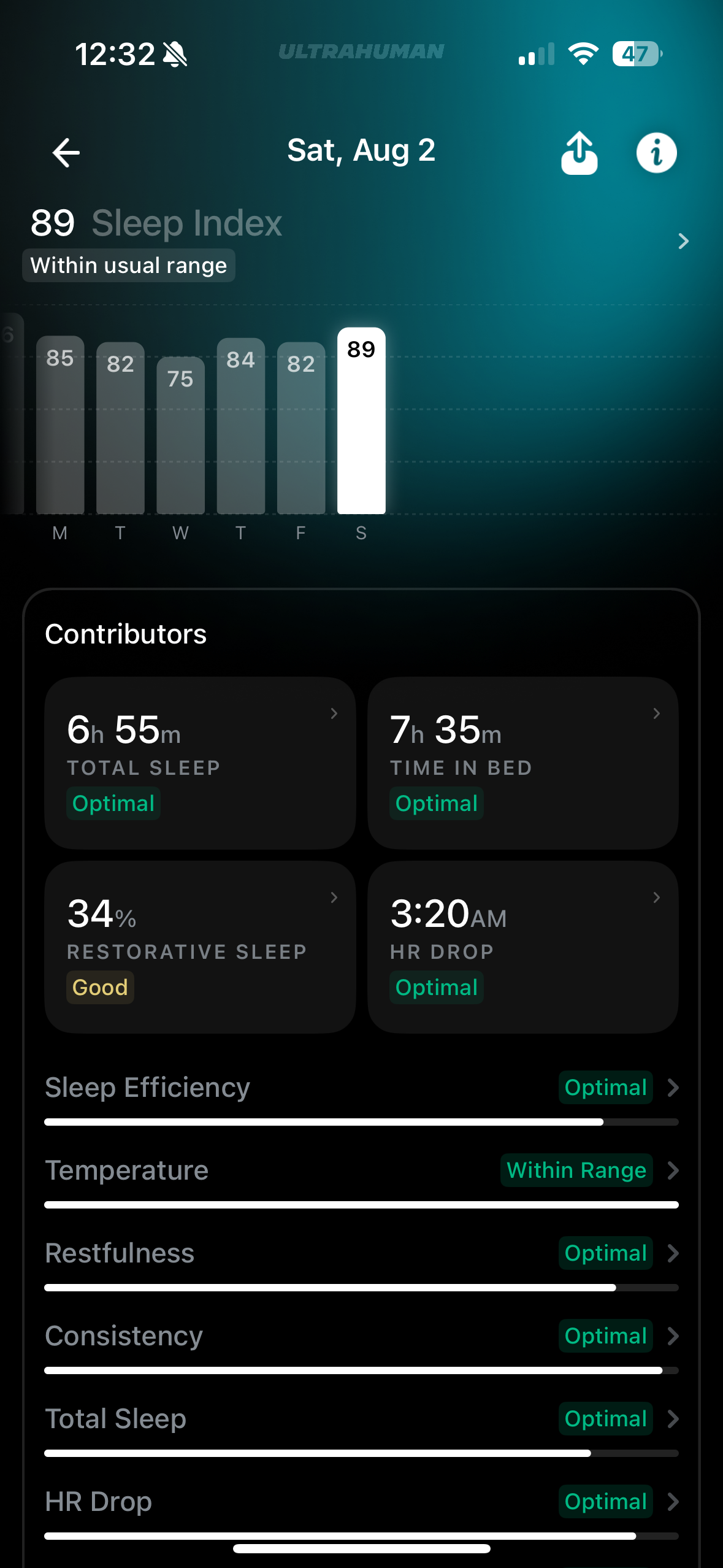
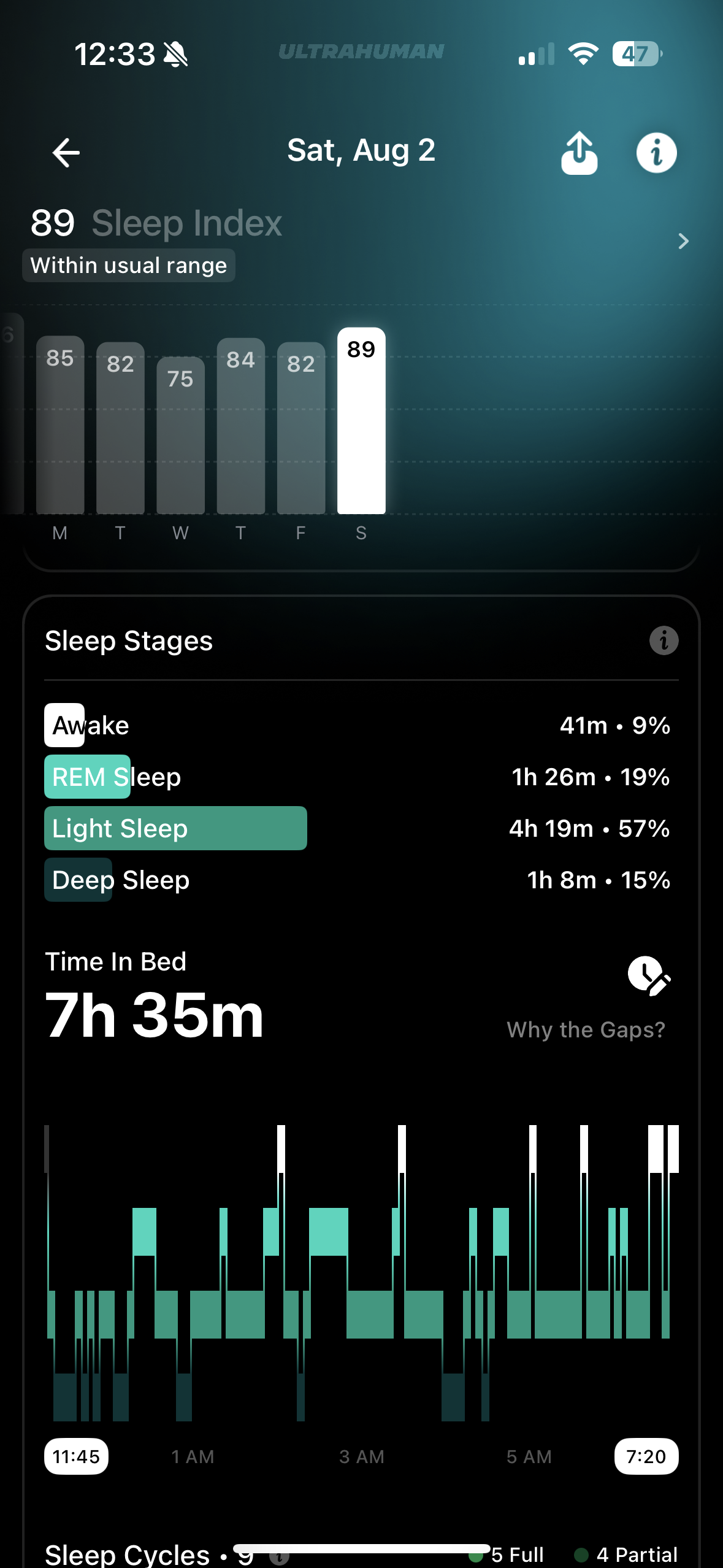
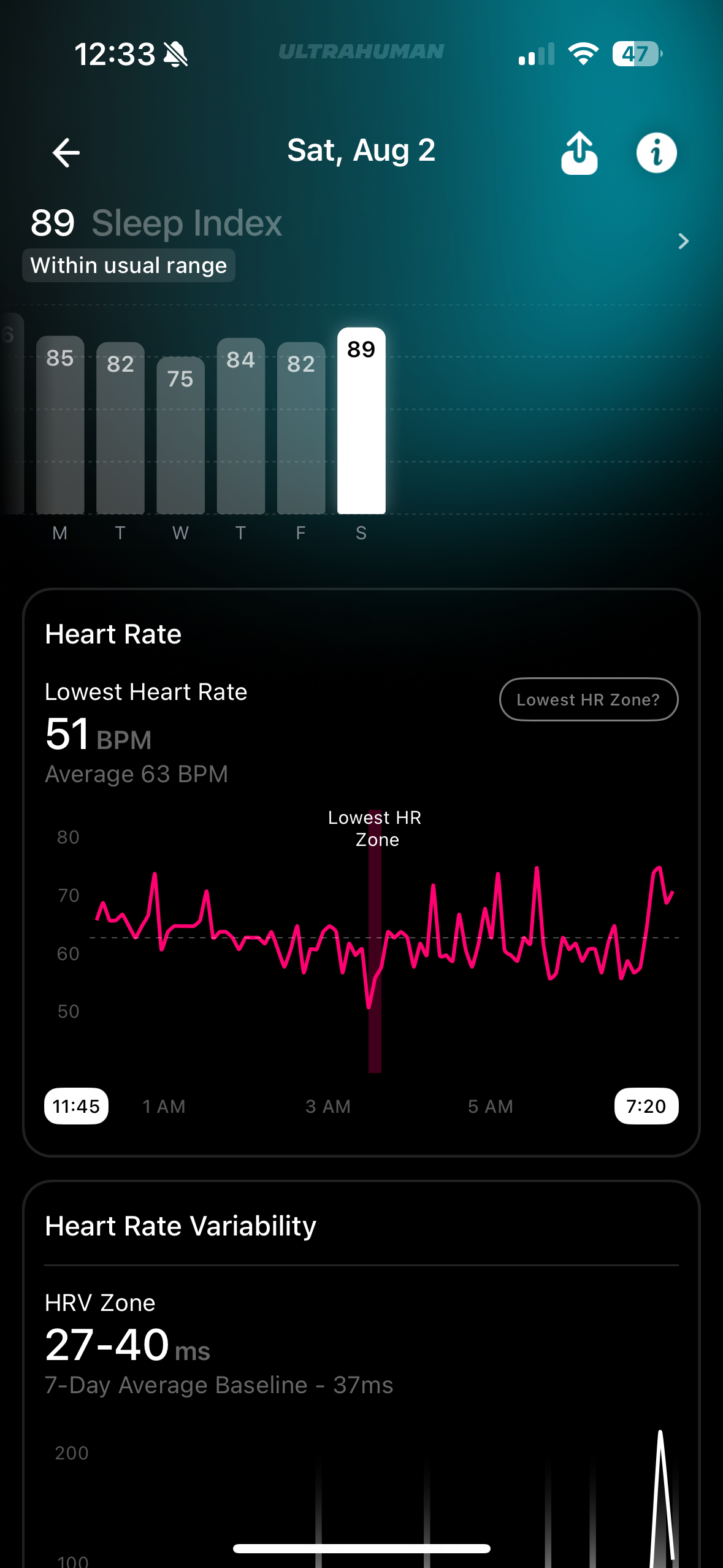
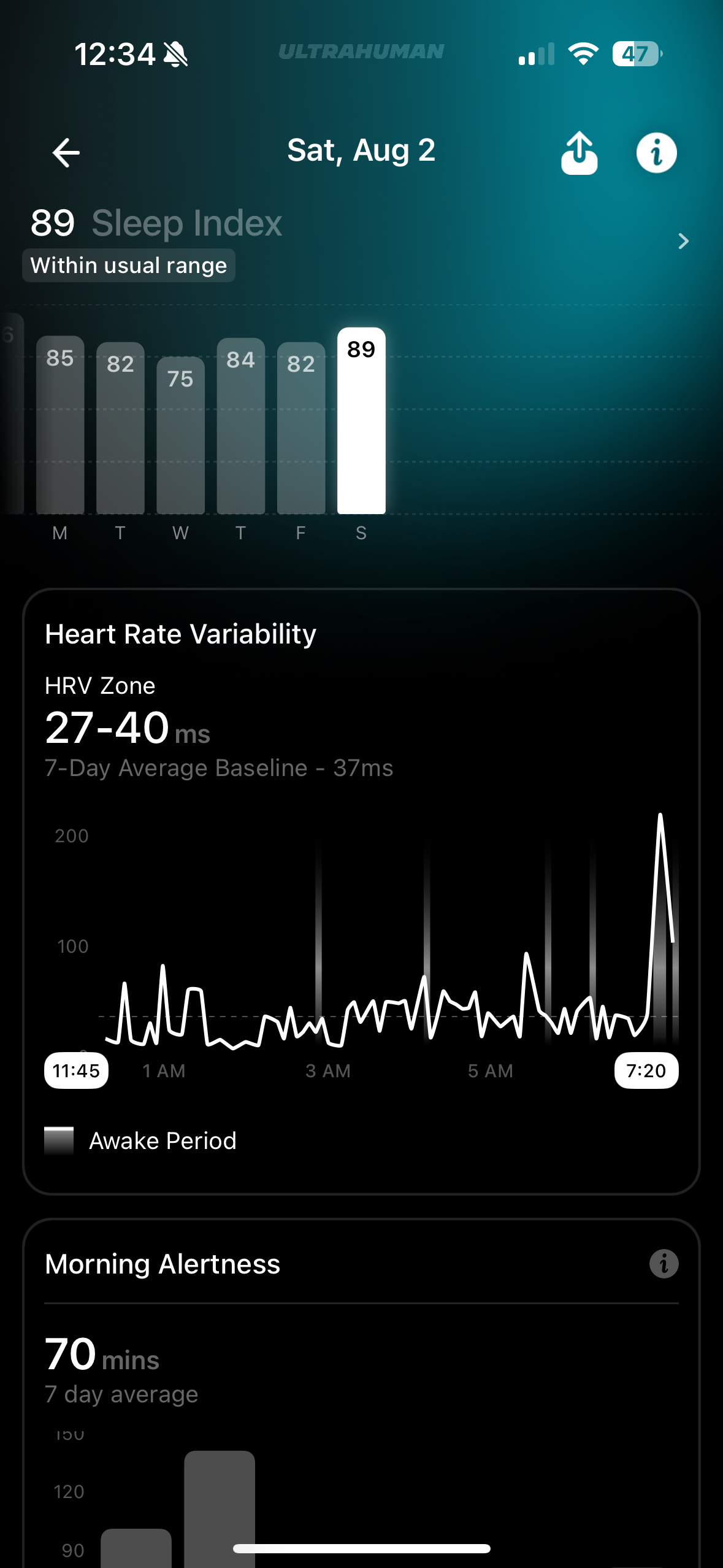
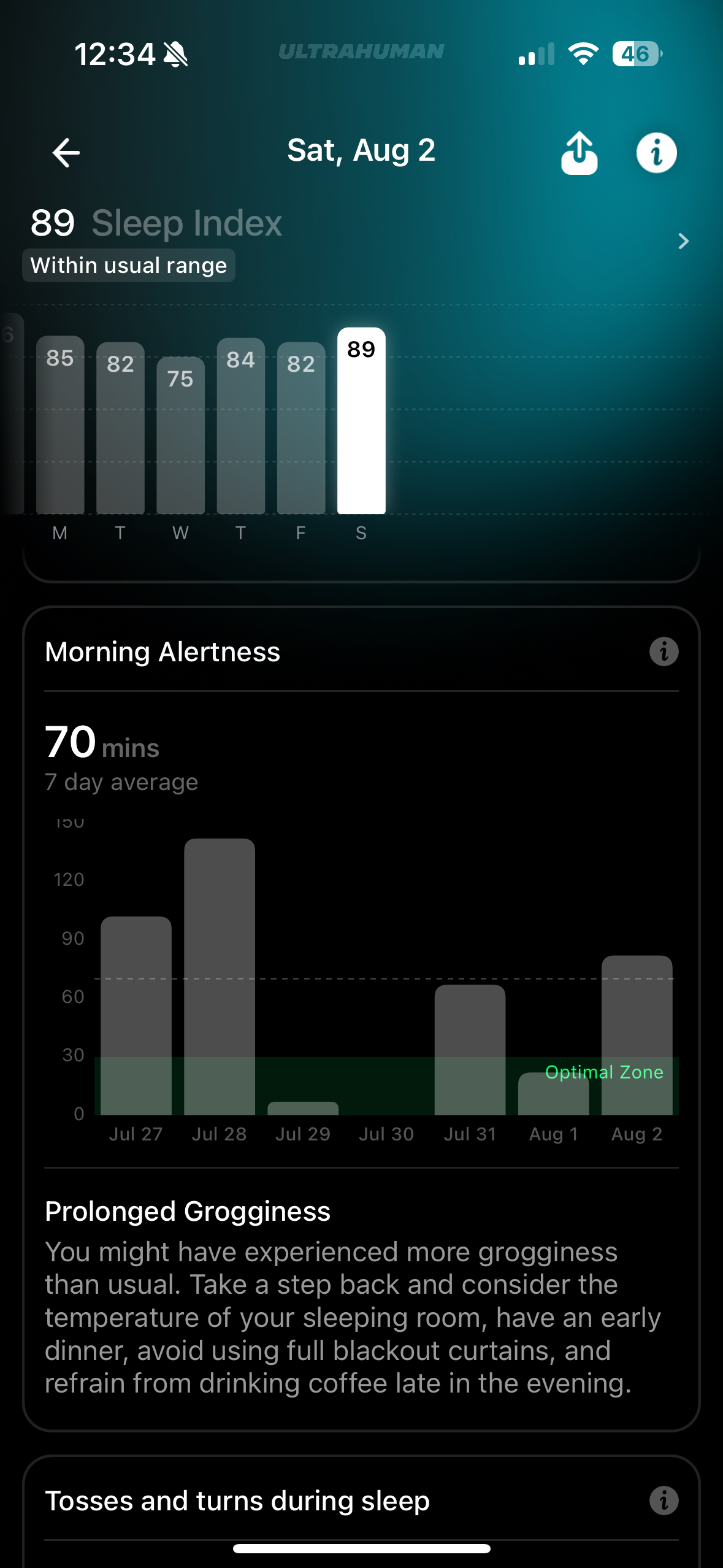
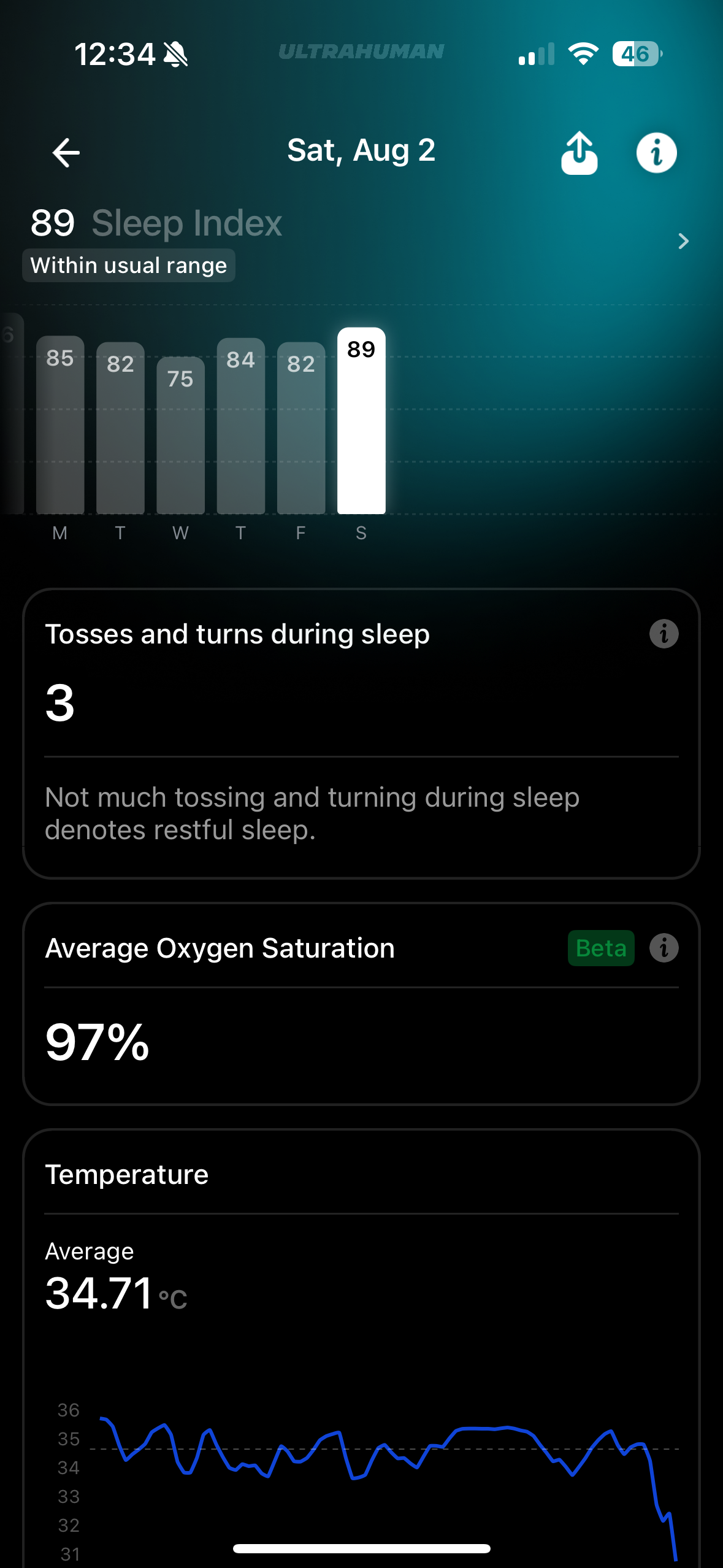
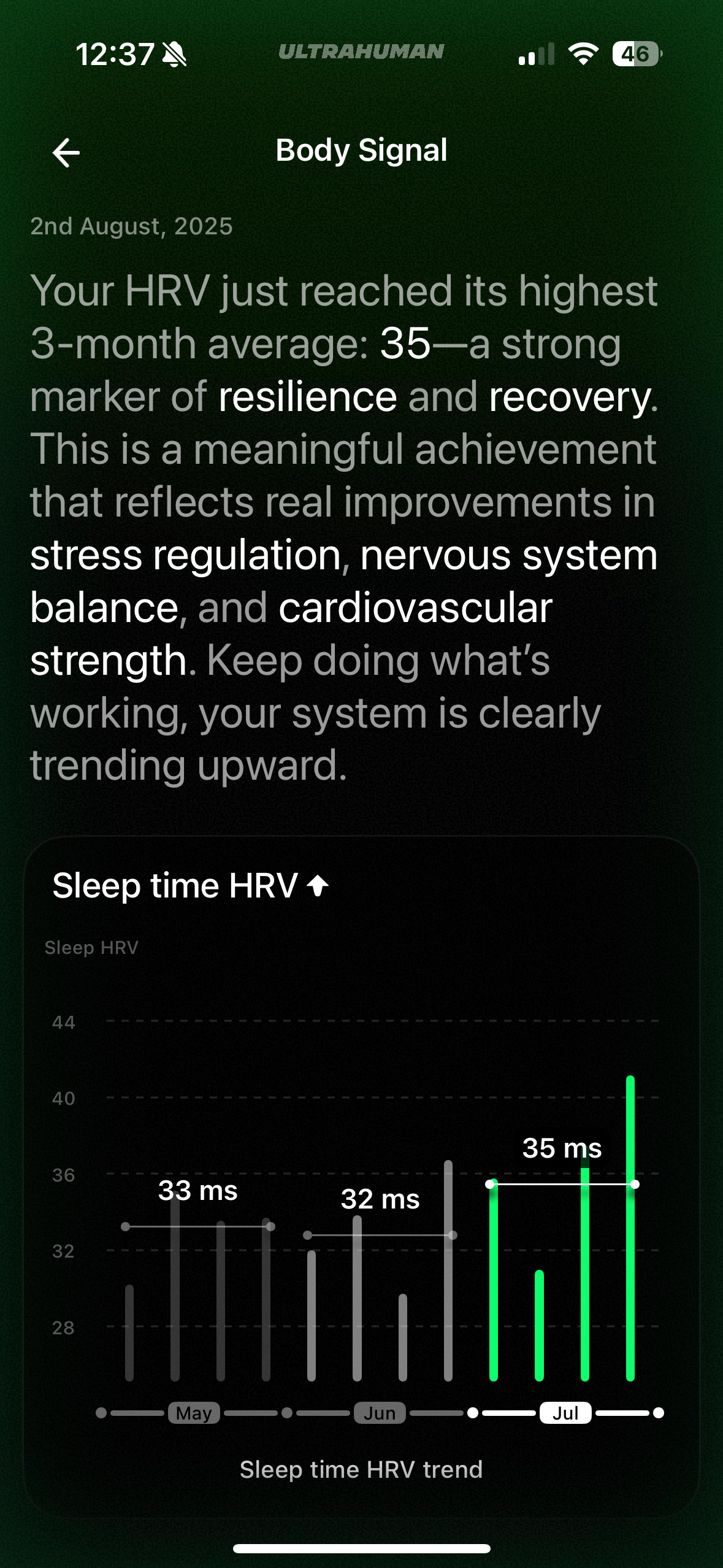


The information collected is nice .. is it accurate? In some areas yes, in others less so. I’ll dig deeper on every area.
The relevant sections would be:
Movement
Here you can see the number of steps you take every day and also how active you are.
The number of steps is reasonably accurate (13295 Air Ring vs 13992 Garmin Enduro 3 for this moment of the day (6PM)) – but it’s just a hint for your activity and not a pedometer explicitly – there are differences when compared with other devices, but with the recent firmware versions I consider this measurement as being ok.
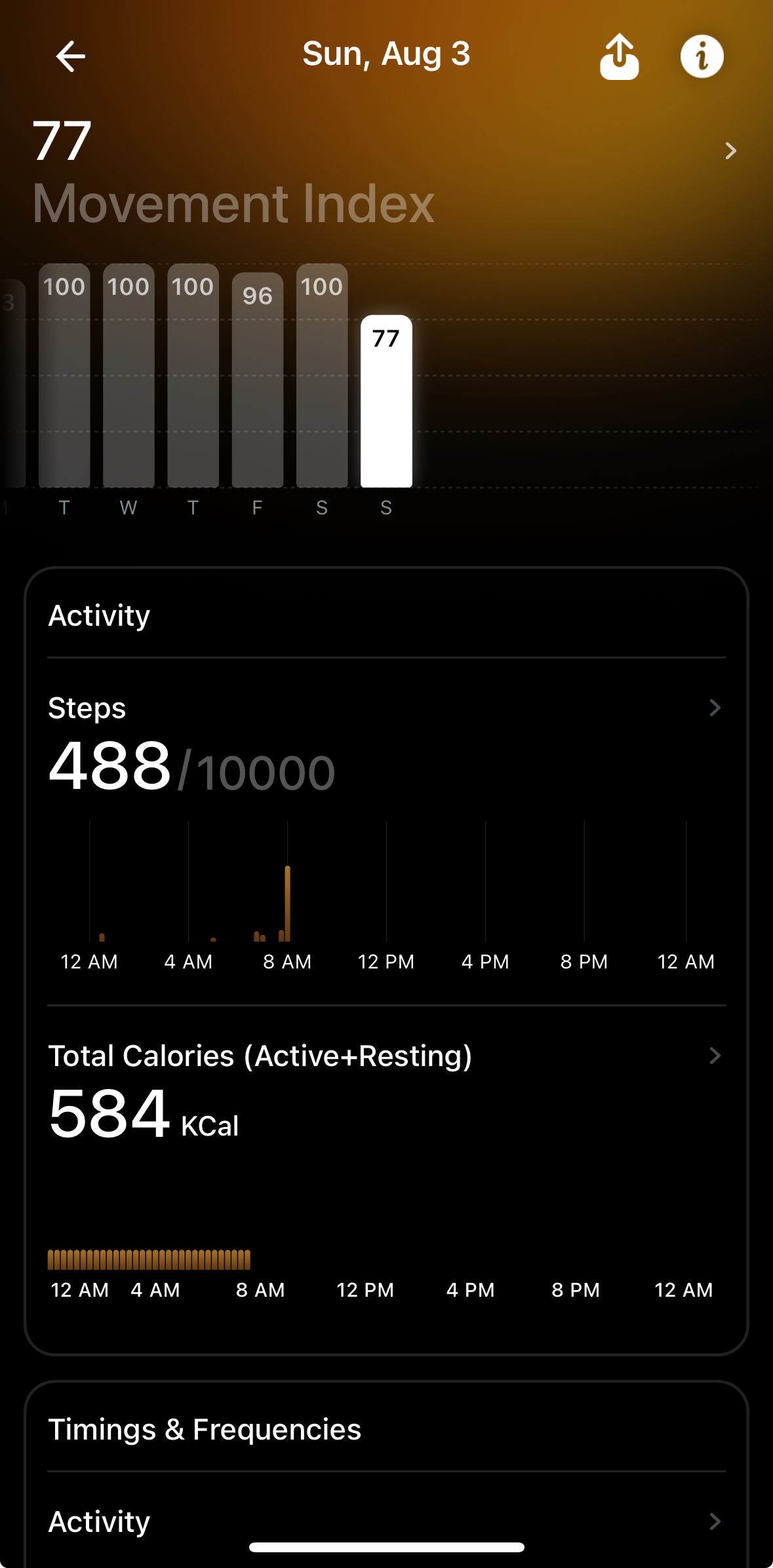
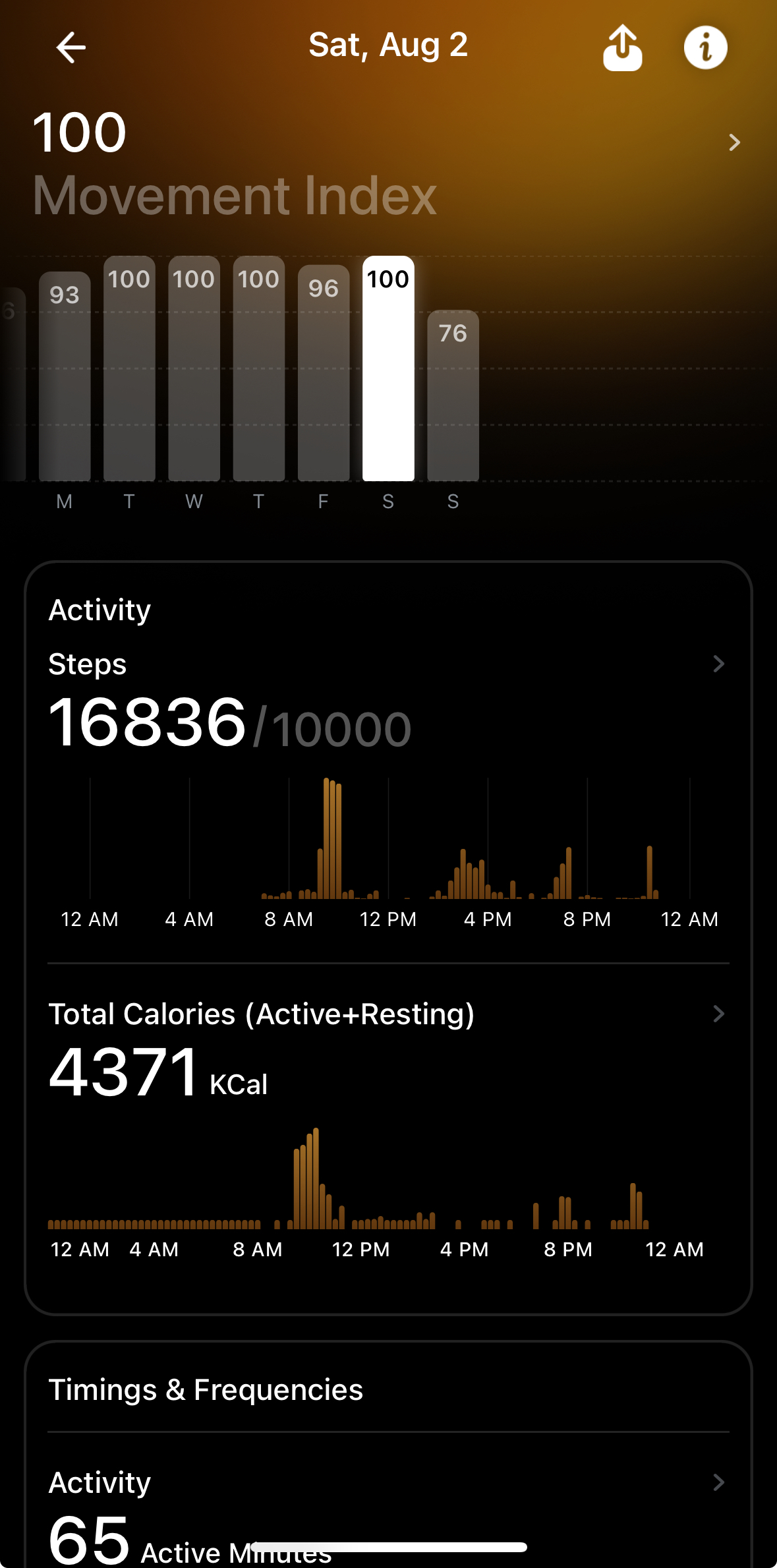
Also you get an estimate of the calories burned so far .. The number is on the high side (4371 kCal) compared with other devices .. for example Garmin for the same day says 3305 kCal which is more inline with what I perceive to be real. So, don’t eat according to the calories measured by the ring because soon you won’t be able to wear it anymore 🙂
Caffeine Window
This is a nice feature .. the fact that caffeine shouldn’t be the first thing you drink during the day is not new, as you already have to deal with the cortisol after being awake .. there is a recommendation of the “optimal” interval to drink your coffee and also what’s important when to stop adding more caffeine.
This feature may be more important for people who can’t stop drinking coffee late in the afternoon or evening. You can log different drinks and the app will “know” how much caffeine is there .. I didn’t use this feature as most of the drinks are commercial ones or I was too lazy to search for more “common-generic” ones.
Of course some people may say that they are not affected by caffeine intake in the evening or at night..it might be so, but this advice (from Ultrahuman) is for average people.
Sleep
This is a feature which is one of the main advertised by Ultrahuman, it displays a score based on different components – total sleep, time in bed, restorative sleep, HR drop and goes deeper with other elements like timing, consistency, sleep efficiency, etc.
I look at the values from time to time, but I’ve learned not to pay as much attention to those in the recent years, it’s much more important to feel rather than being told how you are. Some of them are just different features collected during the sleep but nothing more than values that can be compared with some baseline or desirable range
Sleep stages (awake, REM, Light and Deep) also are displayed and “judged” – they don’t match what I’ve seen with other devices (Garmin, Apple Watch) so I won’t be judging those – also I wasn’t expecting anything from this split.
I’d be happy to see the start-stop moments right .. but usually Ultrahuman Air Ring is more generous and also measures the time in bed even after you’re awake so unless you wake up and get up your bed, you’ll see differences from other devices (Apple, Garmin or others). Also, the sensitivity is not as high as the others and there are situations when you’re waking up in the middle of the night, but Ultrahuman Air Ring doesn’t notice that.
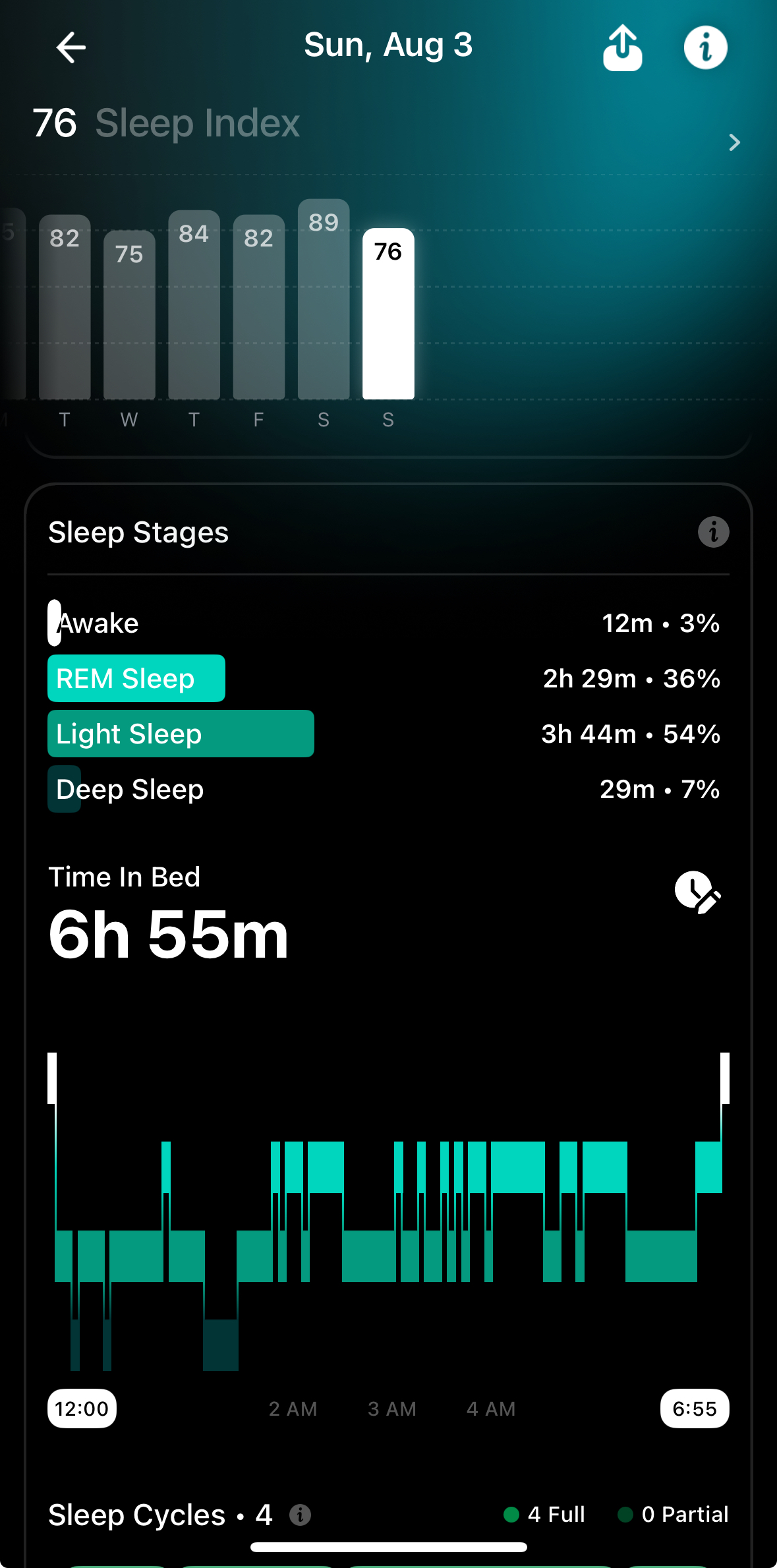
The same night reflected by Apple Watch Ultra looks a bit different – the sleep started earlier and had a wake-up session.

The data displayed by Apple Watch, in terms of start/end moments and the wake up session are confirmed by the Garmin Enduro 3. Don’t expect alignment on the stages, but at least the important start/stop/wake-up you’d expect to be there.
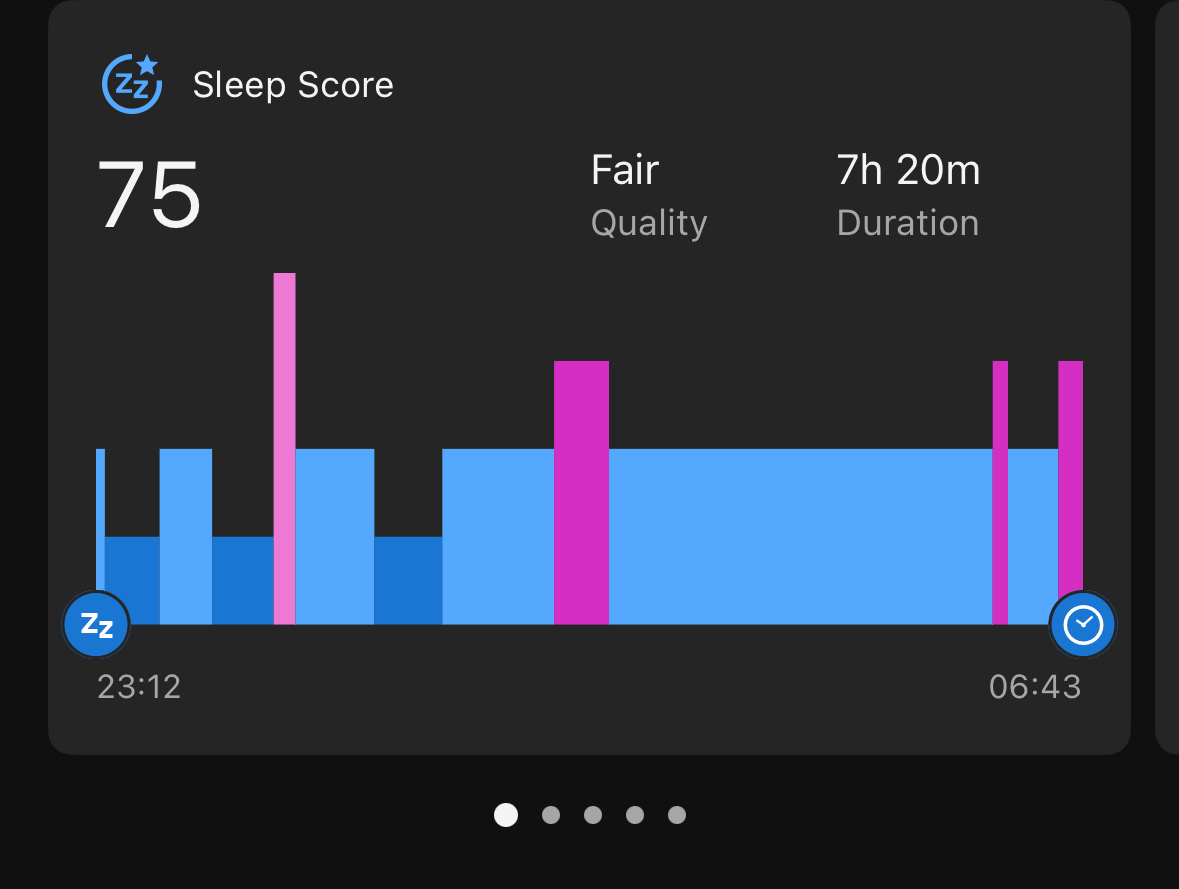
So … it depends. If you look at the sleep score – they are similar between Garmin and Ultrahuman, but the sleep duration is not the same as.. also tonight Ultrahuman didn’t “feel” the wake-up period when I had some water and went to the bathroom.
During sleep, one of the key aspects measured is the HR drop .. if that happens late during the sleep, your sleep score and recovery will be penalised.
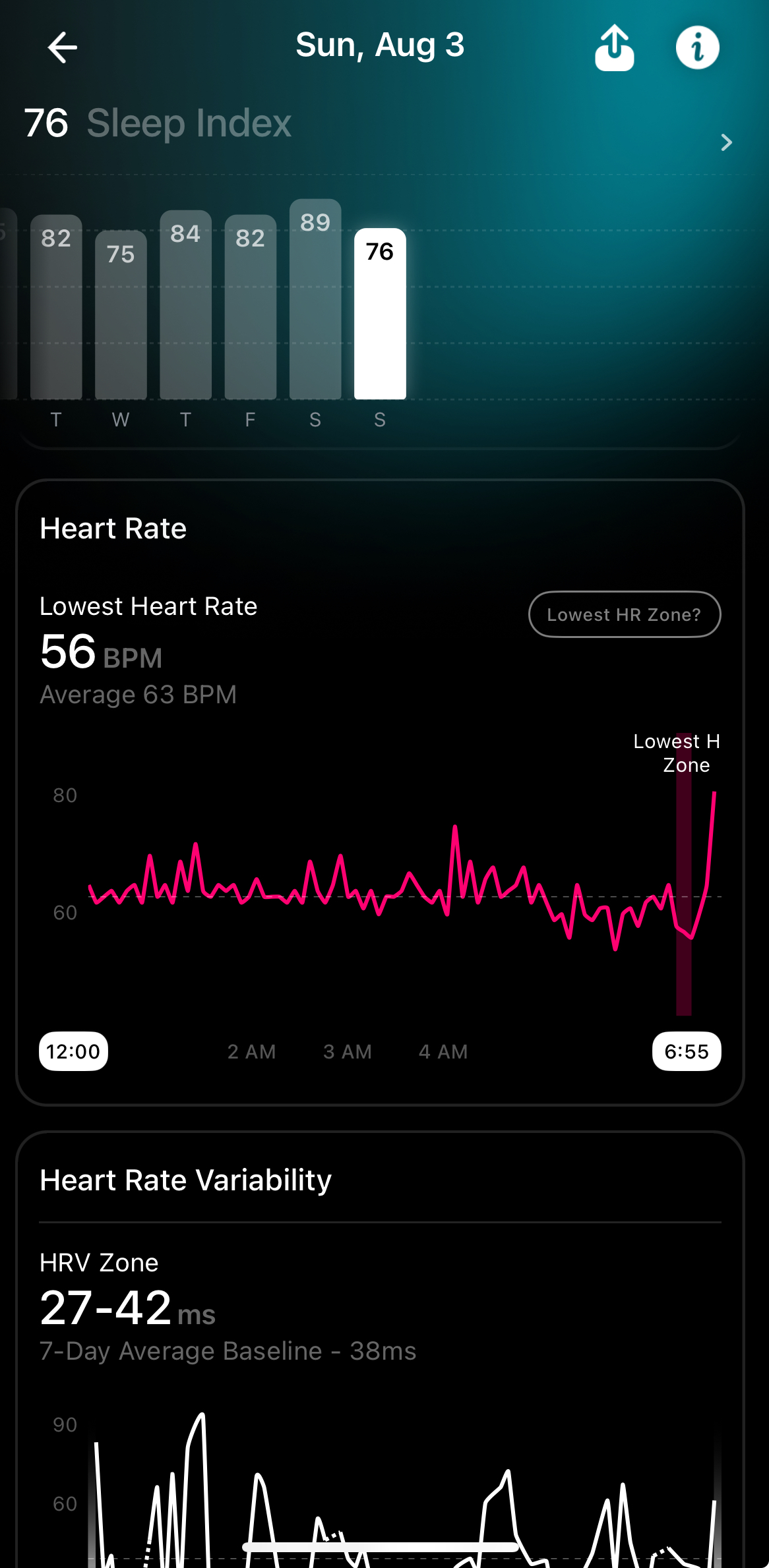
The HRV is also measured and taken into account.. the values are in line with what I’ve seen with the other devices (Garmin Enduro or Suunto Vertical .. not Apple Watch because the measurement algorithm is different there)
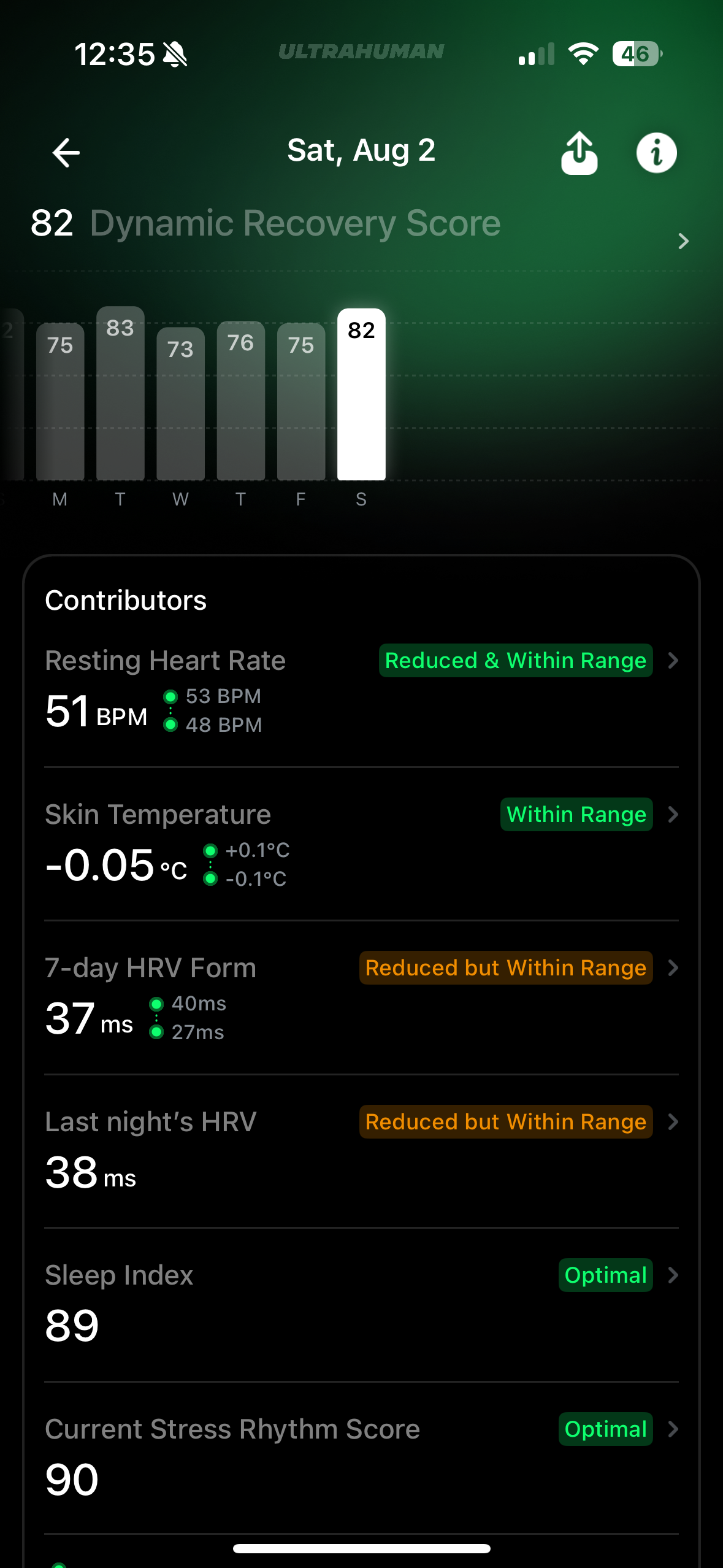
Dynamic recovery
Is based on 6 components (resting HR, skin temperature, 7-day HRV form, last night HRV, Sleep Index (score), current stress rhythm score (which is also HRV based). Anecdotal evidence of aligning with the reality is there, but honestly I don’t pay attention to this value or the color (also color coded of course).
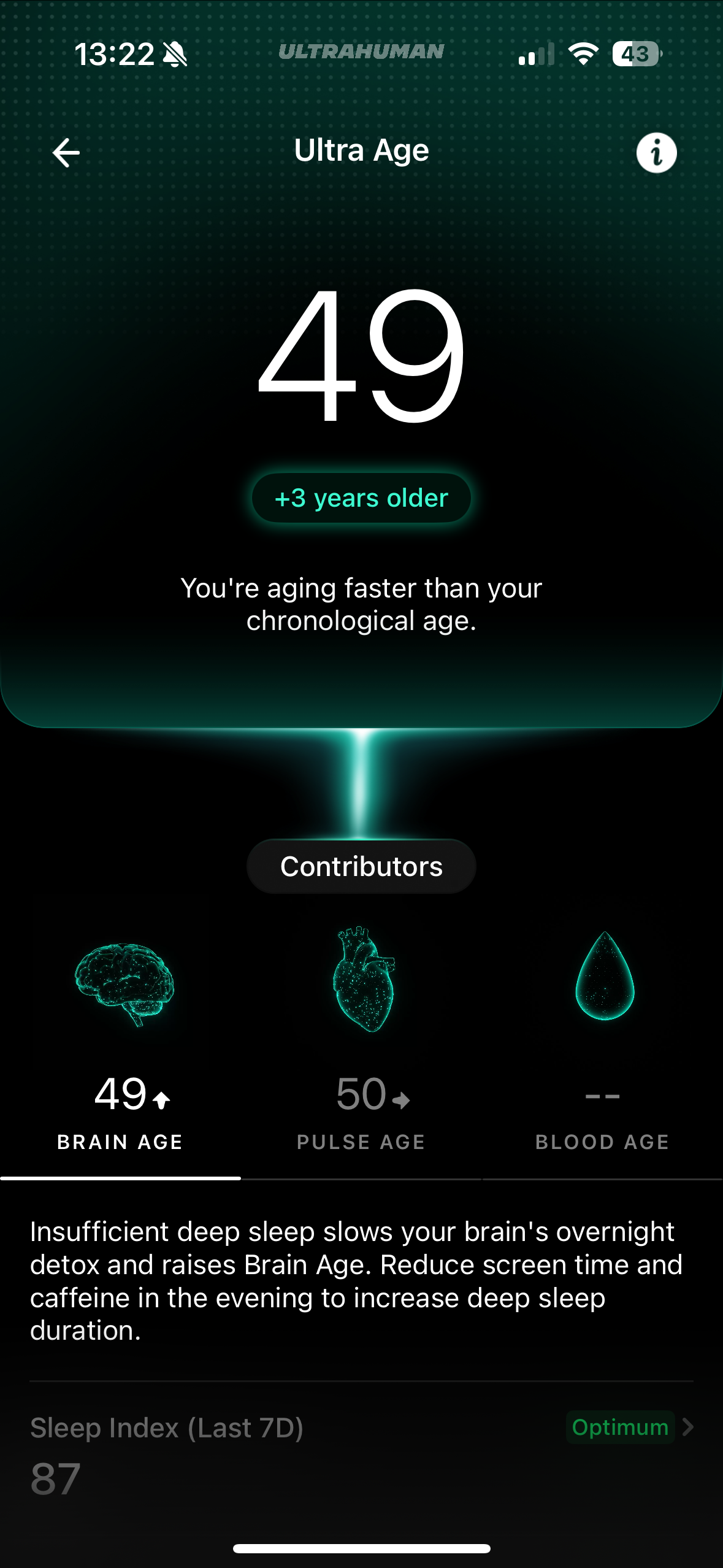
Ultra Age
That’s even a nicer “made-up” indicator .. and that’s not because it says that I’m older 🙂
For now there are 2 components – Brain Age and Pulse Age – there is another one Blood Age which presumably will be added later.
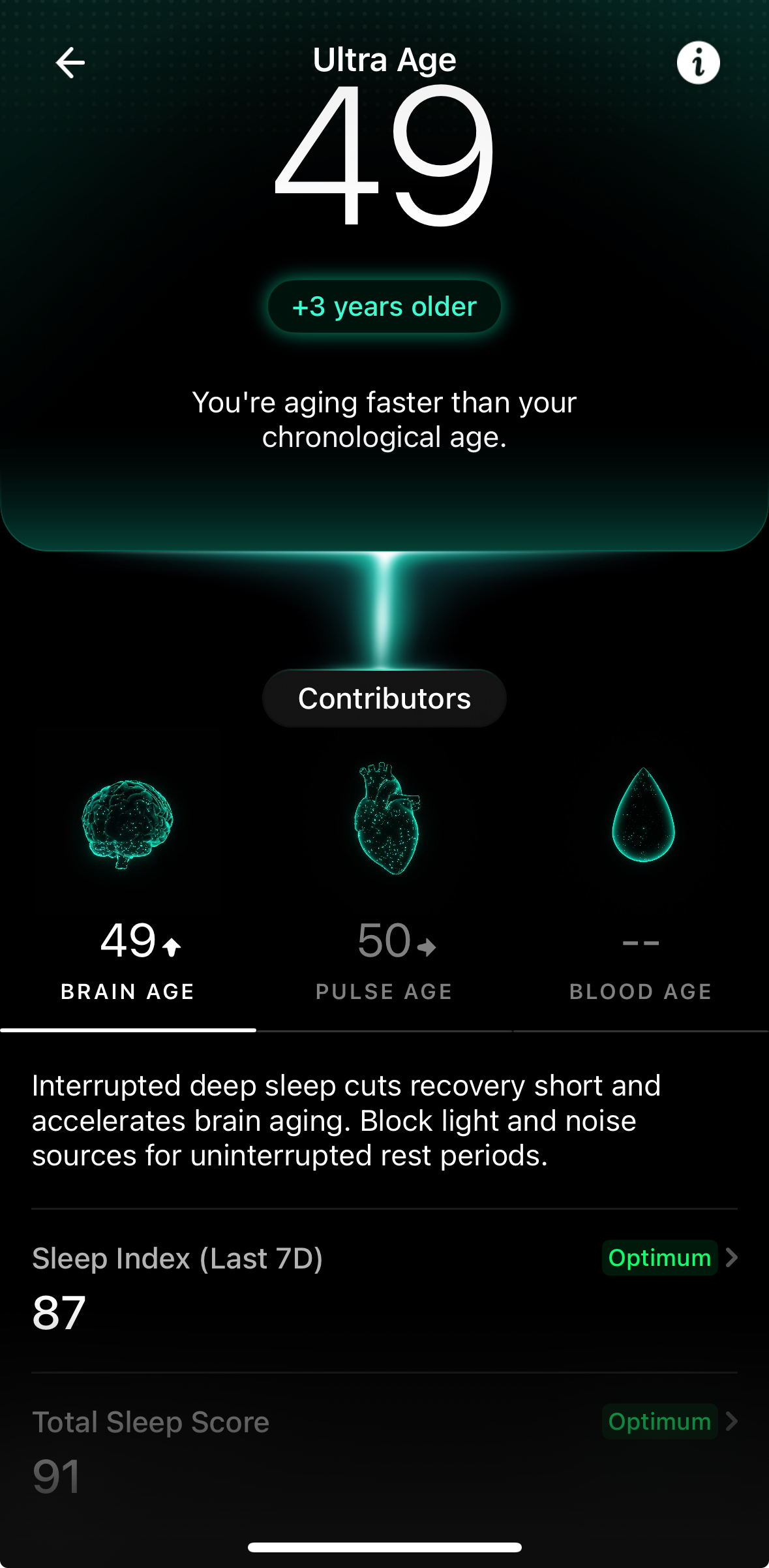
If you like numbers, you’ll love this .. I’m not that much into it. And also, the info is not accurate, 49 is not 3 years older than my real age, and Ultrahuman should have known that since I provided my birthday 🙂
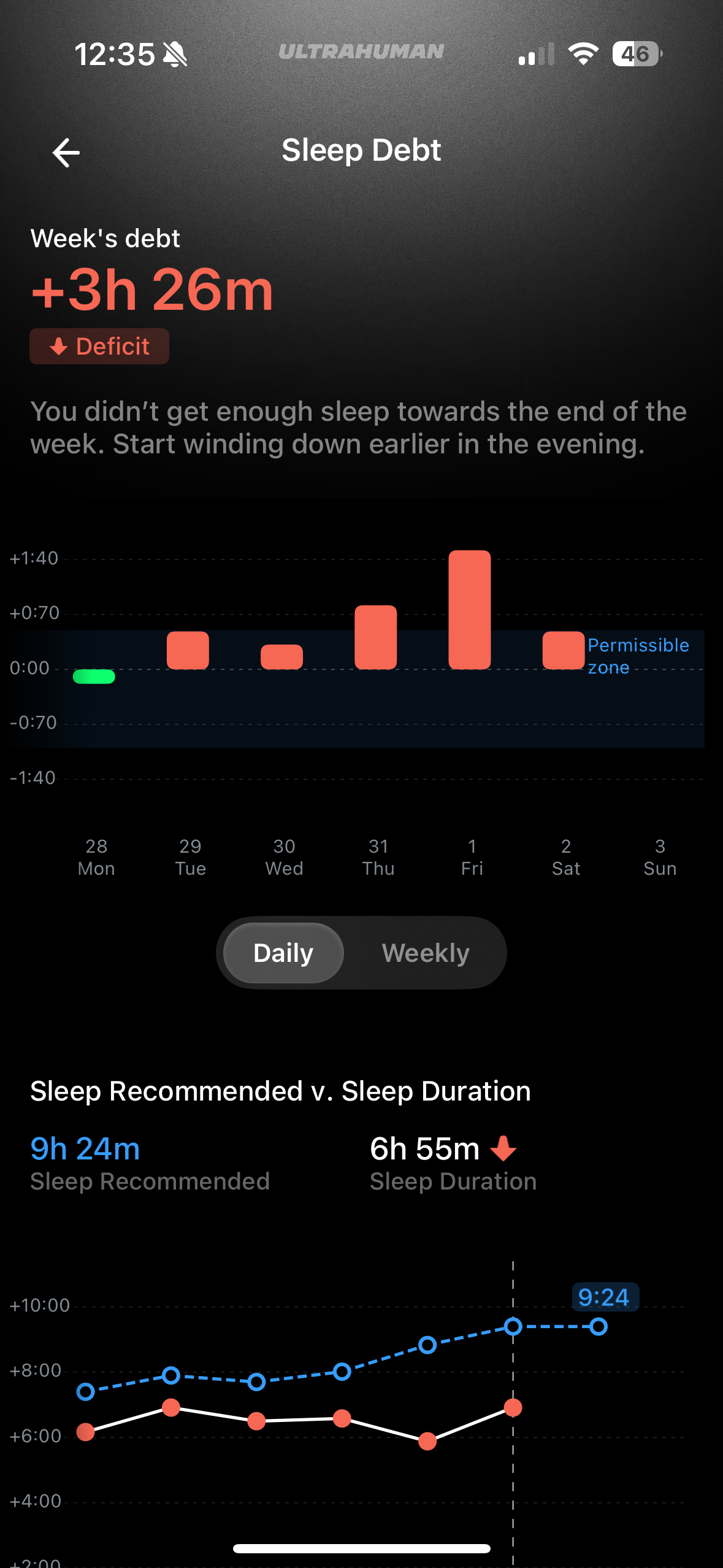
Sleep Debt
This is the difference between the amount of real sleep and what was “recommended”. It’s analysed not only at the day level but also week.
Could be of value for some if they have issues with sleeping and also need a nudge to be more aware and consistent, but it’s difficult to explain that during the hot summer nights I’ll catch-up from an average of 7h of sleep by sleeping more than 9h.
Social Jetlag
It measures the consistency of your sleep during working days and weekends and may identify the “obvious” – that during the free days you tend to go to sleep later and wake up later as well or sleep for longer.
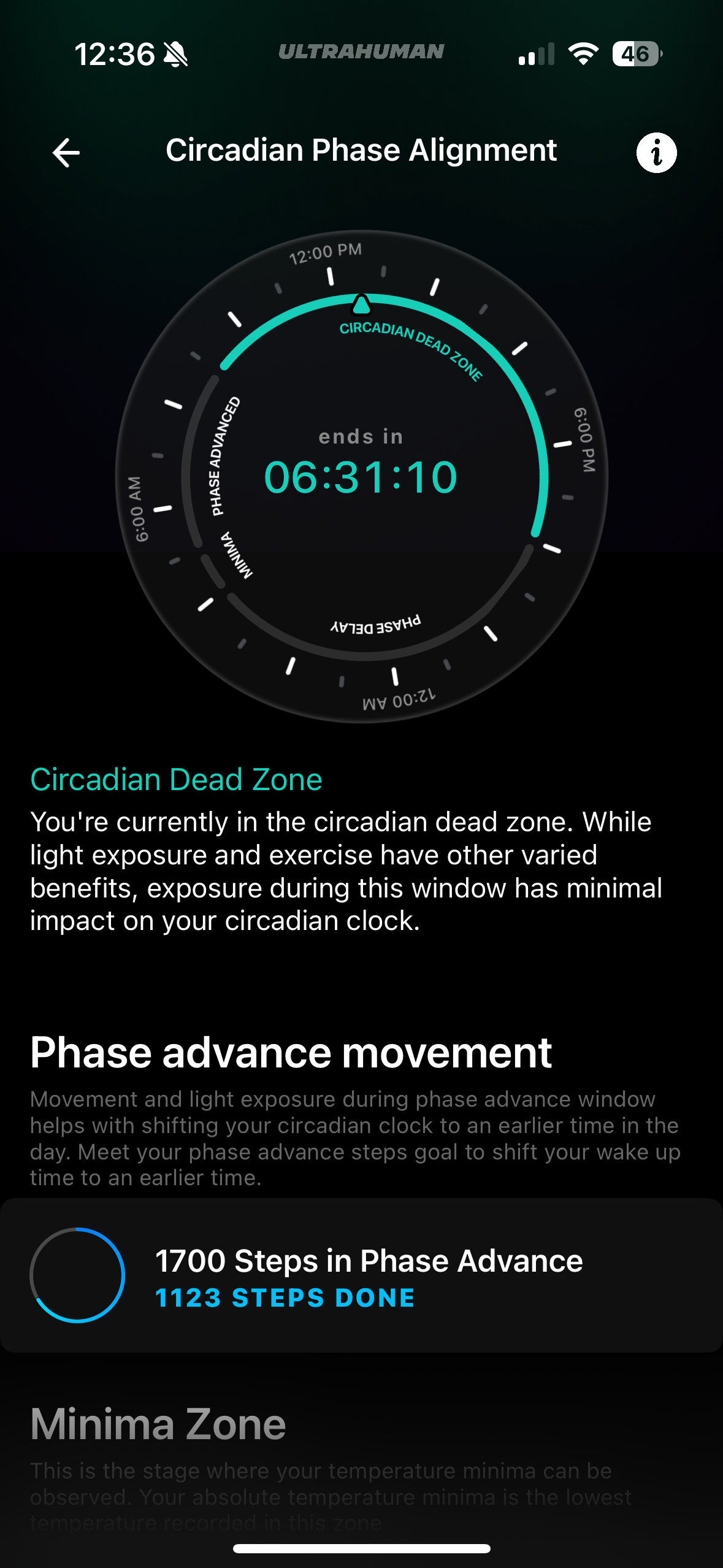
Circadian Rhythm
That’s a visual display of the periods of the day for you, based on your activity and HR/HRV.
It’s nice .. but I haven’t seen that very helpful, or maybe I haven’t spent enough time reading into it. Basically in the phase advance if you move and have a nudge to see the natural light, the intuition says you’ll get some benefits – and that’s true. For the rest, I can’t go beyond that.
Brain Waste Clearance
That’s another Score based on different contributors (other scores):
- Deep Sleep
- Sleep Duration
- Sleep Efficiency Score
- Sleep Debt Penalty
- HRV Score
- Temperature Penalty
The aggregation of other scores could be nice … but doesn’t mean too much for me – it’s nice marketing but that’s kind of it from my perspective.
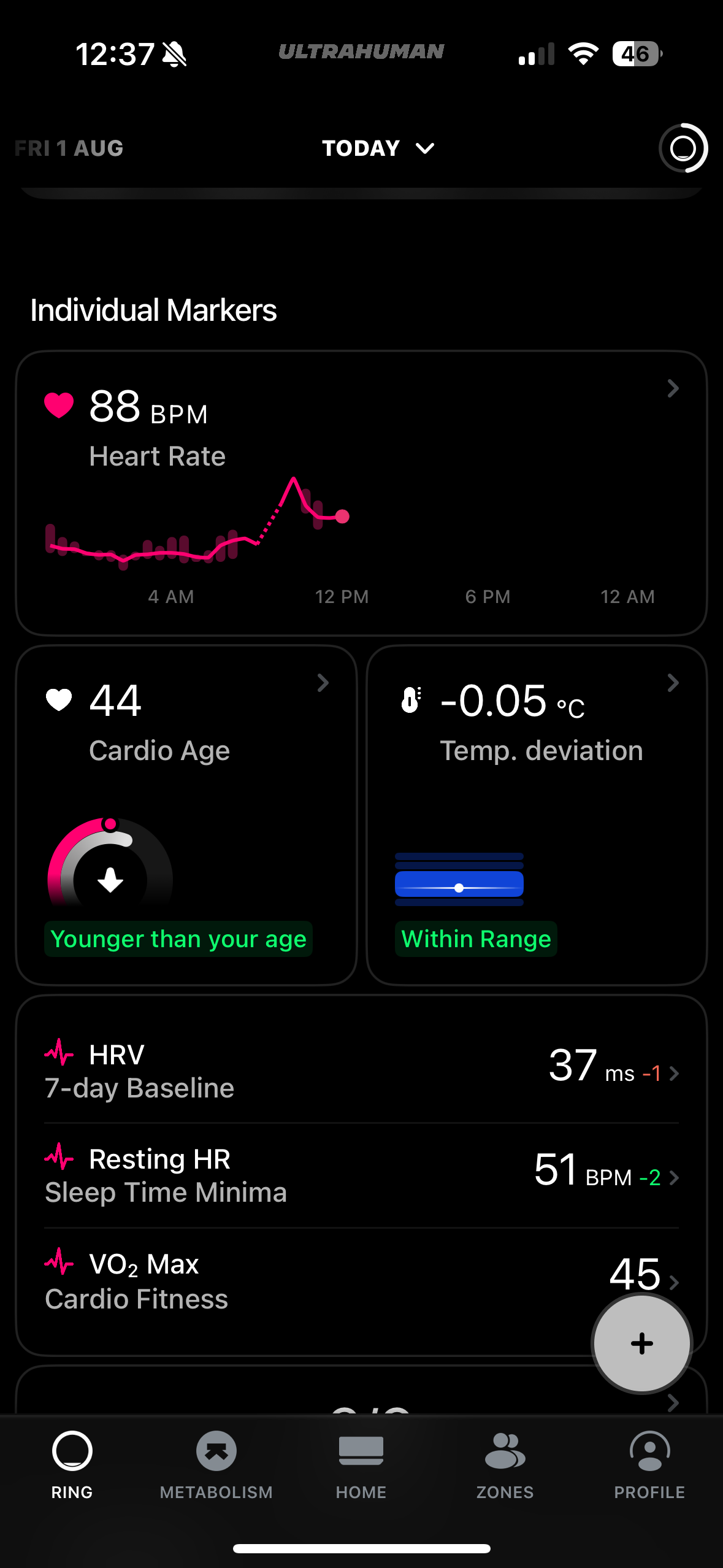
Individual Markers
- Heart rate over the day
- Cardio Age (another type of score) – here I’m younger 🙂
- Temperature deviation (from the baseline built recently)
VO2 max – it’s close now as a value, but the measurements are not .. the changes that I’ve seen in time suggest that this is yet another “score” built on others .. and not specifically something an athlete may count on.
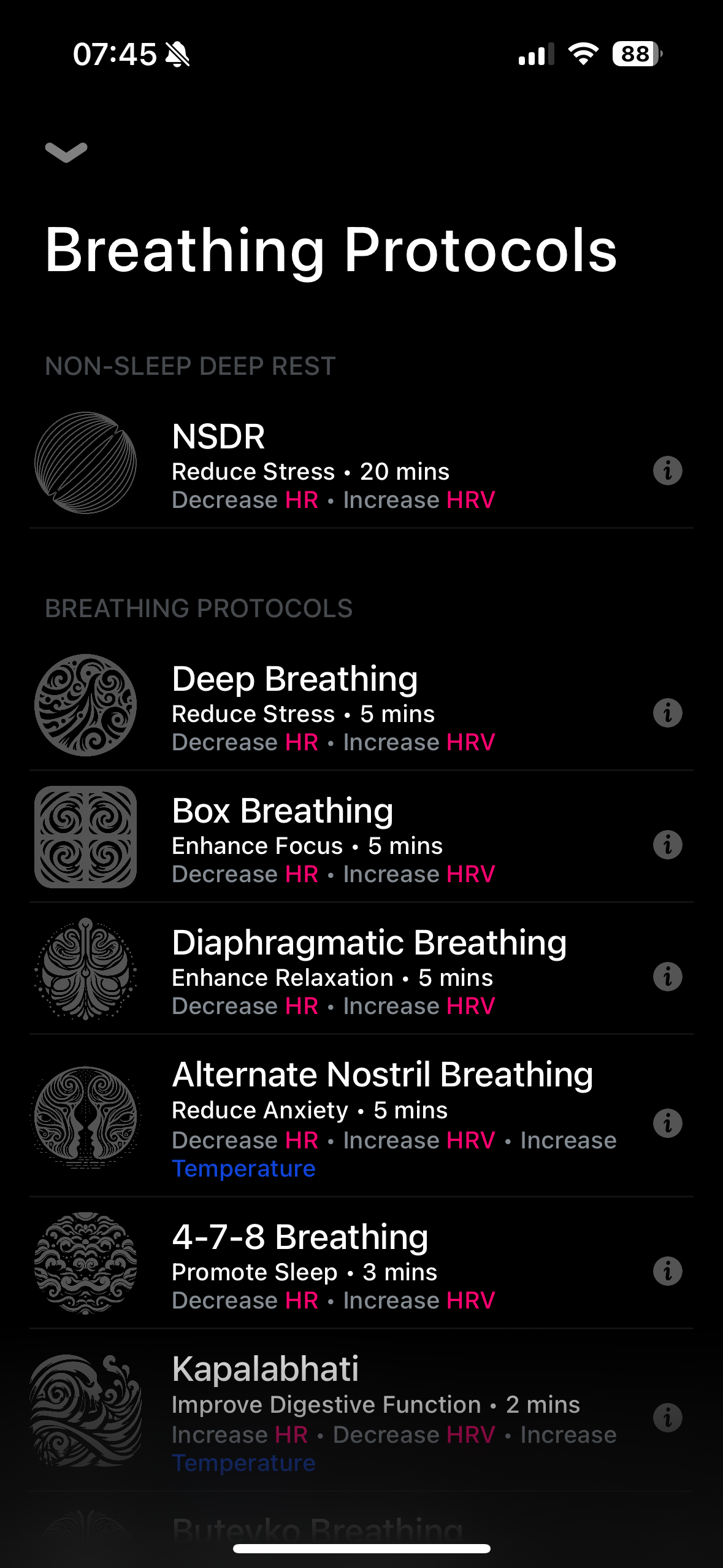
Another nice addition – you can use the ring as a good introduction into breathing techniques – which is nice and valuable.
Another aspect of wearing the ring – the battery life – I’m using it in “chill mode” which allows me to have the battery for a full week, in “performance” mode it’s close to 4 days. Different firmware may affect the battery – in the beginning I wasn’t happy with the battery life, now it’s better and I can use it for a week – but also for me this is not the primary wearable but more a complement to the watch.
Also, the Ultrahuman team is actively updating both the firmware and the mobile app, just this morning I installed the latest firmware 02.00.11.46 – the process gives you some reassurance that you’ll be served with new functionalities or bug fixing over time.
Final Verdict:
After half a year with the Ultrahuman Ring Air, I can say it has earned its place in my daily lineup. It hasn’t replaced my other wearables or uncovered hidden truths about my health, but it has provided another layer of useful, well-presented data in a discreet form factor.
For me, its biggest strengths are the comfort, solid build, subscription-free model, and steady stream of updates that suggest continued improvement. While accuracy is good in most areas (calories remain optimistic, sleep tracking can be generous), when used alongside other devices, it adds perspective rather than noise.
If you enjoy cross-checking your metrics, experimenting with different data sources, or simply prefer a wearable you can forget you’re wearing, the Ultrahuman Ring Air fits the bill. For now, it’s staying on my finger — not because it’s revolutionary, but because it’s quietly dependable.
With that, enjoy your life and be active!
Discover more from Liviu Nastasa
Subscribe to get the latest posts sent to your email.

 Liviu Nastasa